
Sinfonietta
- What
- An instrument for remixing on the go
- Date
- 2026
- Context
- CIID thesis, 10 weeks
- Overview
- This project looks for a more intentional, ritual activity that re-engages surroundings and the senses.
Building an instrument for sampling the environment
Problem
Our devices are always in our hands distracting us from observing our surroundings.
Question
What if paying attention to ambient sound was as easy as paying attention to our distractions?
Concept
Sinfonietta is an instrument that turns the environmental soundscape into musical remixes that you can loop and create your own compositions from using physical sound filters.
Role
This was an independent project where I built the working prototype connecting an NFC reader to an Arduino Uno. Additionally, I developed the concept with sound experts, from classically trained musicians to sound design specialists and created the videos to explain the project.
How the working prototype evolved
1 2 3 4 5 6 7 8 9Part 1
Exploring forms
1 Dial on wood
2 Disc on wood
3 Arduino and NFC reader
Part 2
Building a defined form
4 Parts laid out
5 Cardboard box
6 Laser-cut top
Part 3
Building the object
7 Build plan
8 Cassette box
9 Testing soldered cables
Each filter disc has one effect that remixes a live loop. Every disc is a different effect, so there are many to collect.
How the instrument is set up from the working prototype
What’s inside
Sound filter disc
2Filter dial
3Mode switcher
4Buttons for samples
5NFC reader
6Microphone
7Headphone jack
1How you play it
1Headphone jack
2Sound filter disc
3Filter dial
4Mode switcher
5Buttons for samples
6NFC reader
The final form combines the parts of the working prototype with the organic shape of the laser-cut versions.
Going to a skatepark
Listening
Add filters to change the environment you are listening to
Delay disc
Reverb disc
1 Plug in your headphones to hear the street sound
2 Start on Recording mode for adding sound filters
3 Add the echo effect filter disc
4 Tune the dial to iterate on your loop
Recording
Save the loops that you want to play later
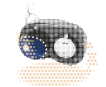
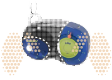
One hand
Two hands
Filter already in. Thumb records.
More control over the filter.
5 Press a button to start recording your loop
6 Tune the dial during the recording session for more expressive compositions
7 To hear what you recorded switch mode to play
8 Select the button you saved the loop to hear it again
To limit distractions there is no screen in the object that allows for direct attention to the sounds in your environment. Additionally, the object is built for one or two hand usage that encourages for expressive outputs that mirror how the sounds physically feel.
Prototyping forms beyond screens
Getting to the final form
Prototypes were explored from traditional and stationary to portable and experimental


Portable
Traditional
Stationary
Experimental
 1
2
3
4
5
6
- 1Working prototypeNFC reader and Arduino in a box, wired to a laptop.
- 2Family radio size laser cutLaser cut so the buttons sit flush.
- 3Smaller laser cutSmaller, so it fits in one hand.
- 4Flower keychainA more organic shape you can carry on your keys.
- 5Concept sketchSketched the final form: filter disc and knob.
- 6In-context renderRendered in use, to see how it lives with you.
Where to take the project next
From the chosen form, it could move to softer materials and more organic shapes.


Hand radio
A soft, modular radio for your grip. Make it longer or shorter.


Pendant
A wearable pendant with sensing tech. Put in a circular card, turn it from min to max.


Twistable radio
A soft radio you twist for different signals, from closed to open.
To understand forms beyond screens, prototyping objects moved away from the working prototype that was connected to a computer. Options that stand out for more exploration require more time understanding softer materials.